
Frontend на Angular
Пришло время для Angular-а. Для работы с ним рекомендуется использовать cli utulity. Установим её:
# npm install -g @angular/cli
Создадим директорию для проекта. Мои веб проекты хранятся в c:\www\vhosts, поэтому туда и переходим. Создаём новый проект с названием frontend:
#ng new frontend
#cd frontend
#ng serve –open
#ng build
Каждой странице (экрану) будет соответствовать свой url и отдельный компонент, который будет отображаться в зависимости от этого url. Поэтому дальше мы создадим несколько компонентов, определим список url-ов, и поставим им в соответствие компоненты.
Создадим два компонента, один для главного экрана и второй для экрана страницы создания новой игры:
ng generate component MainPage
ng generate component CreateGamePage
Получается примерно так:
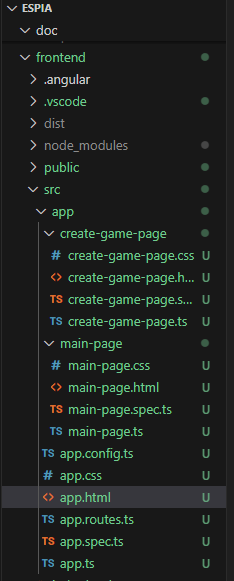
Пропишем для этих компонентов рутинги (маршрутизацию) в app.routes.ts
import { Routes } from '@angular/router';
import { MainPage } from './main-page/main-page';
import { CreateGamePage } from './create-game-page/create-game-page';
export const routes: Routes = [
{
path: '',
component: MainPage,
},{
path: 'create-game',
component: CreateGamePage,
}
];
В app.html файле, который был автоматически сгенерирован, оставим только одну строку:
<router-outlet />
Здесь будет отображаться тот или иной компонент, в зависимости от url. Проверим в браузере.
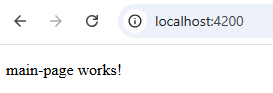

Tailwind
Немного слов о выборе CSS фреймфорка. Тут также хотелось попробовать чего-то нового, особенного и необычного. До этого на слуху часто было Tailwind (в разных курсах), видимо тренд, также по своей концепции он радикально отличался от приевшегося уже Bootstrap. Попробуем, почему бы нет.
https://tailwindcss.com/docs/installation/framework-guides/angular
npm install tailwindcss @tailwindcss/postcss postcss –force

Установим плагин для VS Code Tailwind CSS IntelliSense
Потом я попробовал пару UI Kit-ов для него, но в итоге решил отказаться от них в пользу чистого tailwind и github copilot.
Дизайн + AI
Так сложилось, что я не художник и не дизайнер, поэтому нарисовать что-то, по настоящему красивое, привлекательное и чтобы ещё при этом выглядело профессионально, задача не из простых. Обычно я трачу уйму времени на то, чтобы представить себе готовый результат, того как будет выглядеть страничка, потом на поиски подходящих картинок в сети, по цветовой гамме, по содержанию, стилю, а потом уже редактирую, собираю коллажи. Но в этот раз я решил воспользоваться искусственным интеллектом. Впервые. Да да. Почитал перед этим про разные бесплатные сервисы, парочку из них попробовал, не понравилось. Остановился на третьем. Со второй попытки получил очень даже неплохой результат.
https://www.canva.com/ai-image-generator
Само описание (prompt) я не сохранил, но было что-то похожее на: Сгенерируй главный экран для мобильного приложения игры SPY. В чёрно белых тонах. Экран должен быть разделён на три части по вертикали. В верхней должна быть схематическая картинка шпиона в мультяшном стиле. Во второй части название игры SPY. В нижней части две кнопки: Create game и Join game.
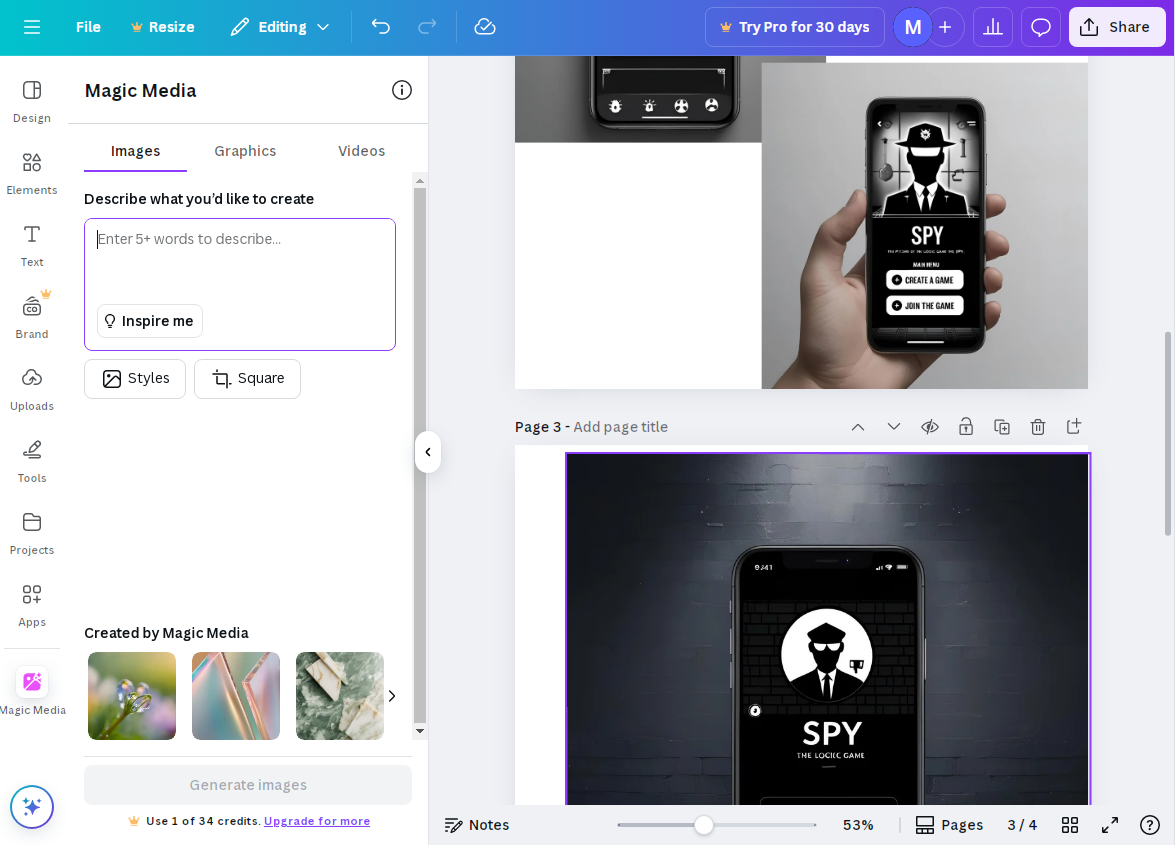
Примерный дизайн того что мне понравилось

Дальше вёрстка, html + tailwind. И Github Copilot. Promt для него я сохранил:
generate me a html markup for attached image using latest version of tailwindcss framework. it should support mobile version. the main layout should consist of three vertical blocks. the topmost should contain the image of the spy. the second should have the fixed height and contain title of the game, which is SPY the logic game. the third part should contain two buttons, cretae a game and join game
И вот что он сгенерировал:
<div class="min-h-screen bg-black flex flex-col">
<!-- Top Block: Spy Image -->
<div class="flex-1 flex flex-col items-center justify-end mb-8">
<img src="spy-image.png" alt="Spy" class="w-60 h-60 shadow-lg object-cover" />
</div>
<!-- Middle Block: Title (fixed height) -->
<div class="h-32 flex flex-col items-center justify-center">
<h1 class="text-white text-5xl font-bold tracking-wide">SPY</h1>
<p class="text-white text-lg tracking-widest mt-2 font-light">THE LOGIC GAME</p>
<div class="w-8 h-1 bg-gray-400 rounded mt-3"></div>
</div>
<!-- Bottom Block: Buttons -->
<div class="flex-1 flex flex-col items-center justify-start gap-6 mt-8">
<button class="w-72 max-w-full py-4 border-2 border-white rounded-lg text-white text-xl font-semibold tracking-wide transition hover:bg-white hover:text-black">
CREATE A GAME
</button>
<button class="w-72 max-w-full py-4 border-2 border-white rounded-lg text-white text-xl font-semibold tracking-wide transition hover:bg-white hover:text-black">
JOIN GAME
</button>
</div>
</div>
Картинку spy-image.png я вручную добавил в директорию public. Вот так выглядел результат в браузере.
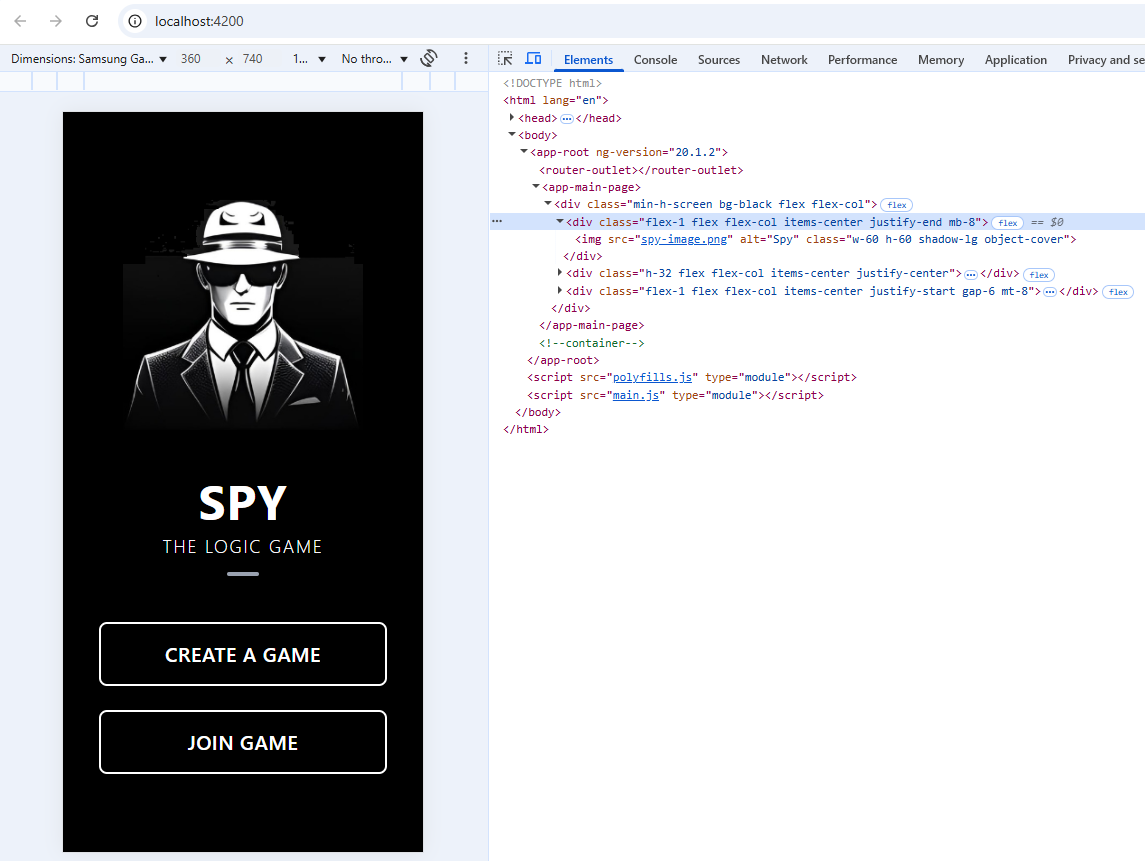
Прелестно, не так ли? По правде говоря я был ошеломлён результатом!
Все остальные страницы будут в этом же стиле с небольшими отличиями, поэтому для их создания будет применяться классическая технология copy-paste.
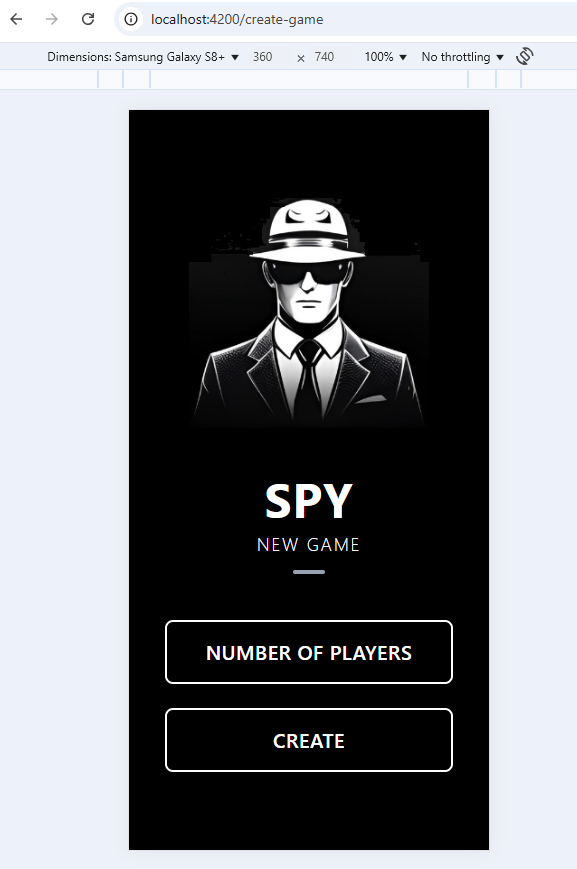
Страница для Создания игры create-game-page.html. Разница с предыдущей будет в нижней части экрана, там будет поле ввода для количества игроков и кнопка Create game. Поле input по стилю будет выглядеть как кнопка, поэтому не удивляйтесь.
<div class="min-h-screen bg-black flex flex-col">
<!-- Top Block: Spy Image -->
<div class="flex-1 flex flex-col items-center justify-end mb-8">
<img src="spy-image.png" alt="Spy" class="w-60 h-60 shadow-lg object-cover" />
</div>
<!-- Middle Block: Title (fixed height) -->
<div class="h-32 flex flex-col items-center justify-center">
<h1 class="text-white text-5xl font-bold tracking-wide">SPY</h1>
<p class="text-white text-lg tracking-widest mt-2 font-light">NEW GAME</p>
<div class="w-8 h-1 bg-gray-400 rounded mt-3"></div>
</div>
<!-- Bottom Block: Buttons -->
<div class="flex-1 flex flex-col items-center justify-start gap-6 mt-8">
<input class="w-72 max-w-full py-4 border-2 border-white rounded-lg text-white text-xl font-semibold tracking-wide transition hover:bg-white hover:text-black text-center"
placeholder="NUMBER OF PLAYERS" />
<button class="w-72 max-w-full py-4 border-2 border-white rounded-lg text-white text-xl font-semibold tracking-wide transition hover:bg-white hover:text-black">
CREATE
</button>
</div>
</div>
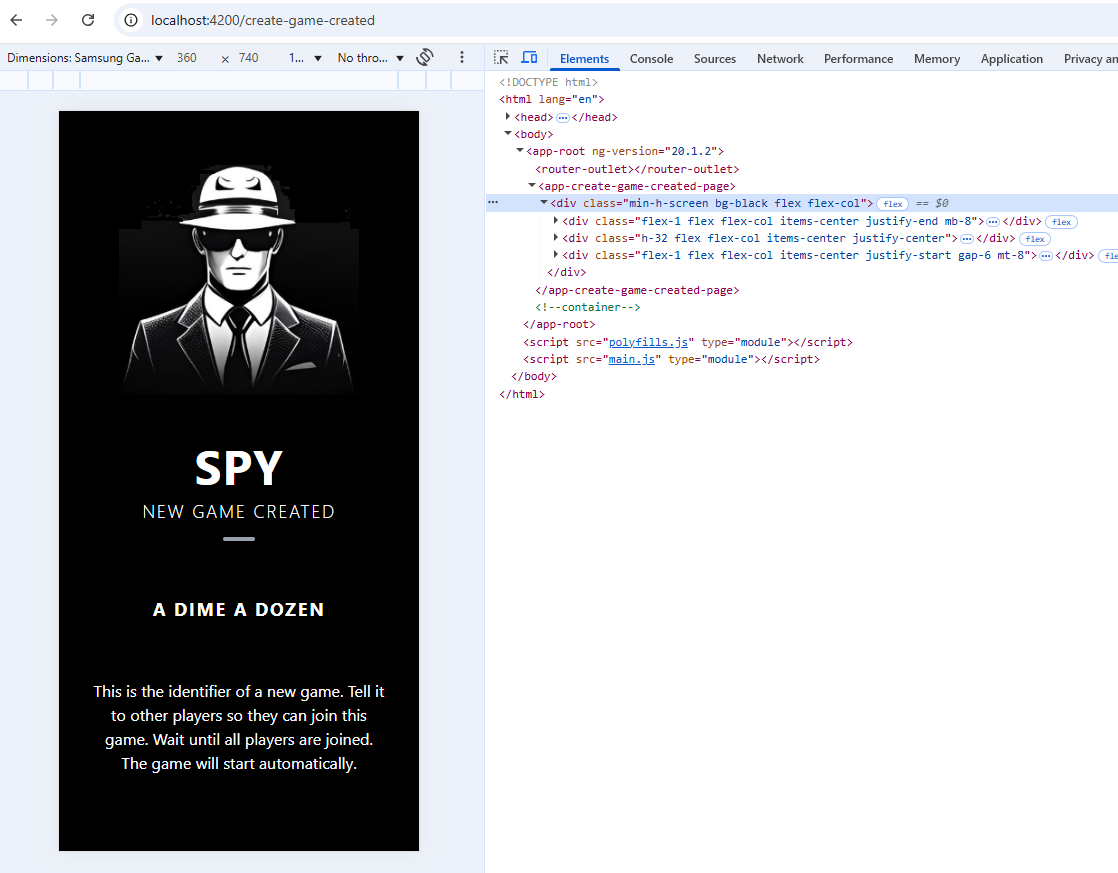
Следуем далее по сценарию. Когда игра создана, игрок получает title + id, по которому другие игроки смогут присоединиться к игре. Сам же игрок переходит в режим ожидания. Это будет новый экран, с названием игры. Создадим для этого еще один компонент.
ng generate component CreateGameCreatedPage
create-game-created-page.html
<div class="min-h-screen bg-black flex flex-col">
<!-- Top Block: Spy Image -->
<div class="flex-1 flex flex-col items-center justify-end mb-8">
<img src="spy-image.png" alt="Spy" class="w-60 h-60 shadow-lg object-cover" />
</div>
<!-- Middle Block: Title (fixed height) -->
<div class="h-32 flex flex-col items-center justify-center">
<h1 class="text-white text-5xl font-bold tracking-wide">SPY</h1>
<p class="text-white text-lg tracking-widest mt-2 font-light">NEW GAME CREATED</p>
<div class="w-8 h-1 bg-gray-400 rounded mt-3"></div>
</div>
<!-- Bottom Block: Buttons -->
<div class="flex-1 flex flex-col items-center justify-start gap-6 mt-8">
<p class="text-white text-lg tracking-widest mt-2 font-bold uppercase">A Dime a Dozen</p>
<p class="text-white text-center p-8">
This is the identifier of a new game. Tell it to other players so they can join this game. Wait until all players are joined. The game will start automatically.
</p>
</div>
</div>
Название игры прописано статически, пока что это всё-таки только вёрстка.
Добавим рутер:
import { CreateGameCreatedPage } from './create-game-created-page/create-game-created-page';
},{
path: 'create-game-created',
component: CreateGameCreatedPage,
}
Превью того что получилось:
Точно так же создадим компонент для страницы подключения к игре.
ng generate component JoinGamePage
И рутер
import { JoinGamePage } from './join-game-page/join-game-page';
},{
path: 'join-game',
component: JoinGamePage,
},{
Переименуем create-game-created-page в waiting-others-to-join-page, так как это название более соответствует действительности.
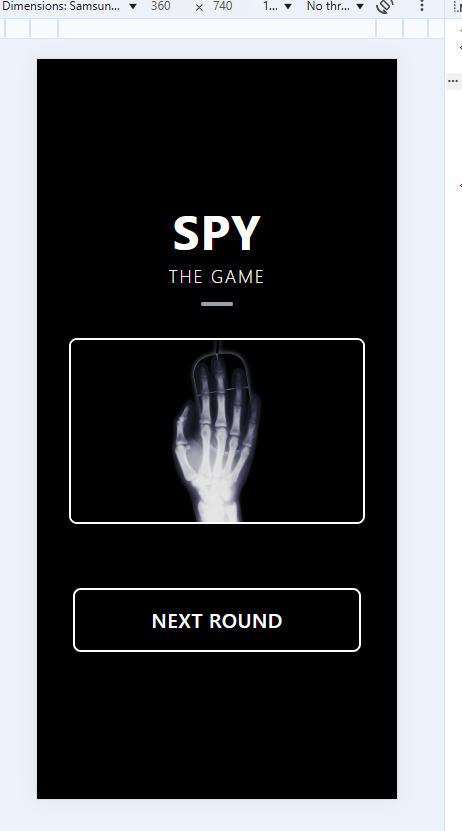
Остаётся страница самой игры. Она будет содержать картинку, и опционально кнопку для следующего раунда. За дело.
ng generate component GamePage
game-page.html
<div class="min-h-screen bg-black flex flex-col">
<!-- Top Block: Spy Image -->
<div class="flex-1 flex flex-col items-center justify-end">
<h1 class="text-white text-5xl font-bold tracking-wide">SPY</h1>
<p class="text-white text-lg tracking-widest mt-2 font-light">THE GAME</p>
<div class="w-8 h-1 bg-gray-400 rounded mt-3"></div>
</div>
<!-- Middle Block: Title (fixed height) -->
<div class="flex flex-col items-center justify-center p-8">
<img src="https://randomwordgenerator.com/img/picture-generator/57e3d3454351a414f1dc8460962e33791c3ad6e04e507440702d79d29345c4_640.jpg" alt="Random image"
class="shadow-lg object-cover border-2 border-white rounded-lg" />
</div>
<!-- Bottom Block: Buttons -->
<div class="flex-1 flex flex-col items-center justify-start gap-6 mt-8">
<button class="w-72 max-w-full py-4 border-2 border-white rounded-lg text-white text-xl font-semibold tracking-wide transition hover:bg-white hover:text-black">
NEXT ROUND
</button>
</div>
</div>
Рутер:
import { GamePage } from './game-page/game-page';
},{
path: 'game',
component: GamePage,
},{
На этом с дизайном можем закончить.
Продолжение следует ...